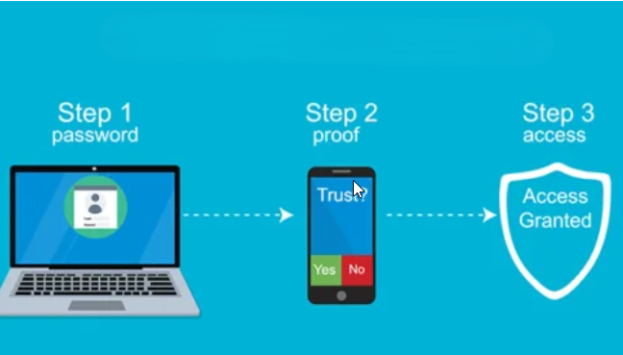
Multifactor authentication (MFA) now live
Multifactor authentication (MFA) is now live for your OP student account.
If you haven't pre-registered, you'll see this prompt when you login.
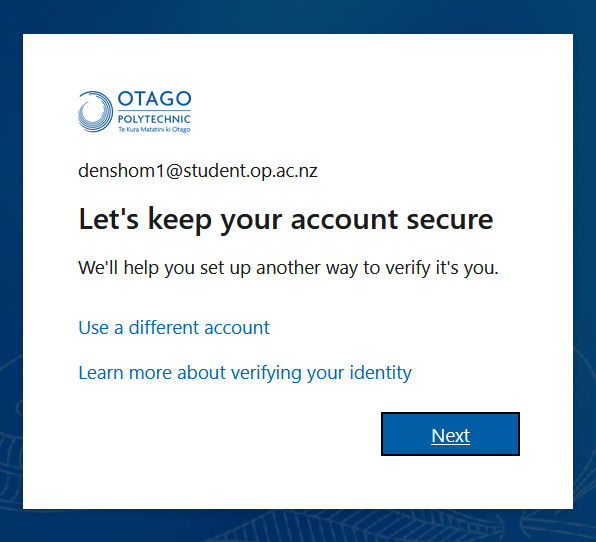
You'll need to complete the registration before you're able to continue logging in.
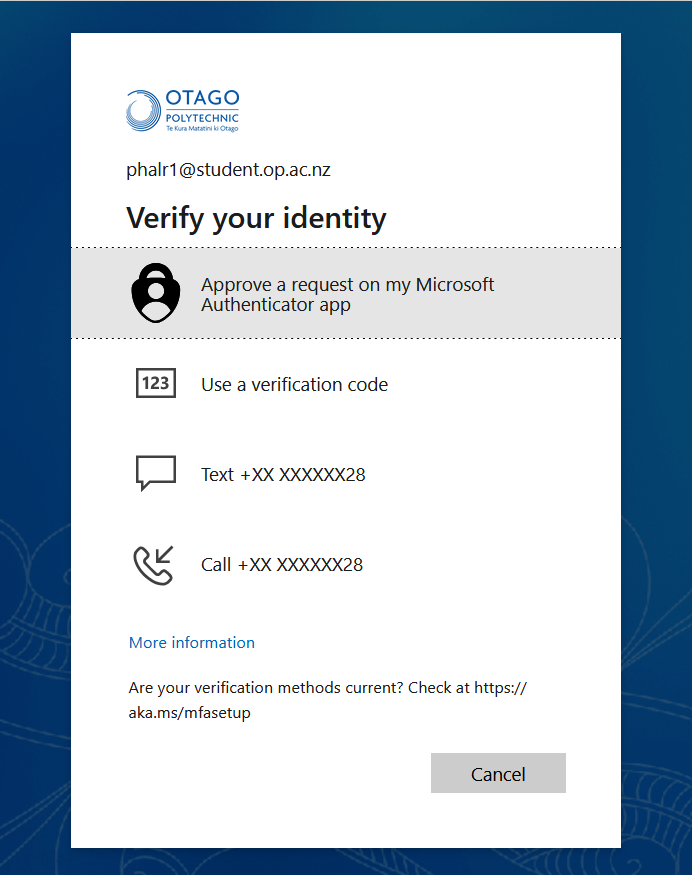
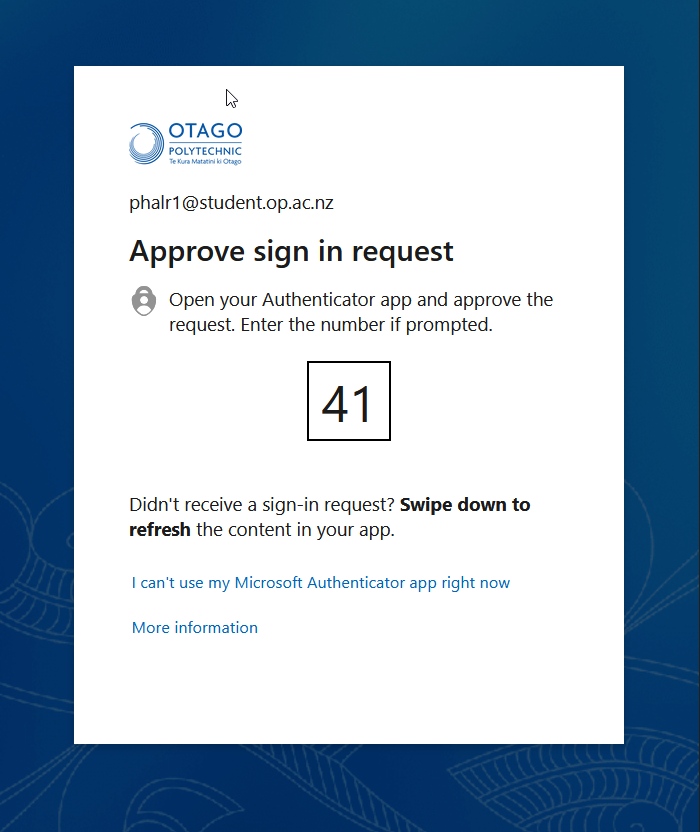
Here are some examples of what you'll see when you're prompted for multifactor authentication. Just follow the prompts for your chosen method.
You won't get prompted for MFA at every login, only when we need to you to verify your identity.
Need help?
Check out this guide to get registered.
You can also contact our IT Service Desk by logging a case, sending us an email or giving us a call on 0800 765 948.
Published on 14 Jan 2026
Orderdate: 14 Jan 2026
Expiry: 14 Jan 2028
related

Strategy feedback - we want to hear from you!
We're creating our strategic direction for the next five years and we want your voice to be part of shaping our future!We want to define who we are as an organi...
G Block Exterior Building Wash
Please be advised that the exterior of G Block will be undergoing a building wash from 2 October to 5 October. Contractors will be working around the exterior...
Stadium sponsorship celebrates long partnership
The bright blue and green colours of Otago Polytechnic are back under the roof at Dunedin’s Forsyth Barr Stadium, marking the reactivation of a long-standing...